Carbice® Ice Pad Install Guide
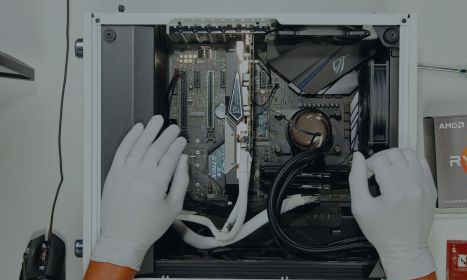
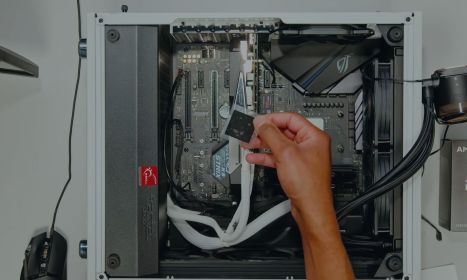
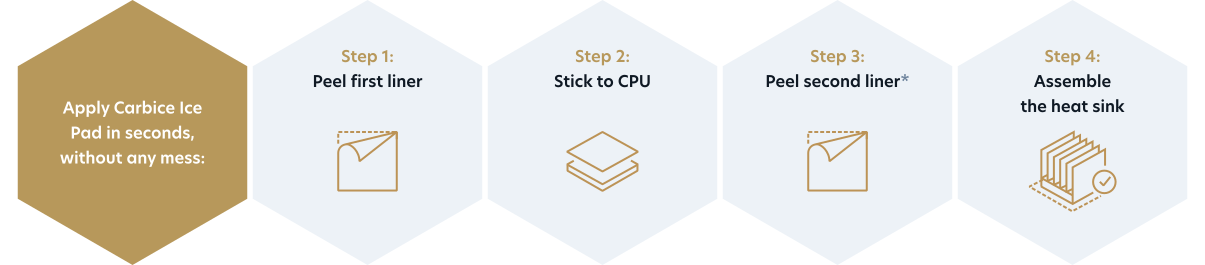
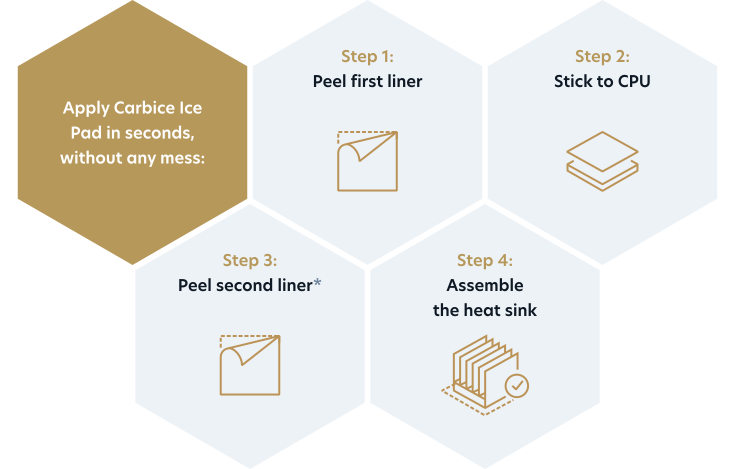
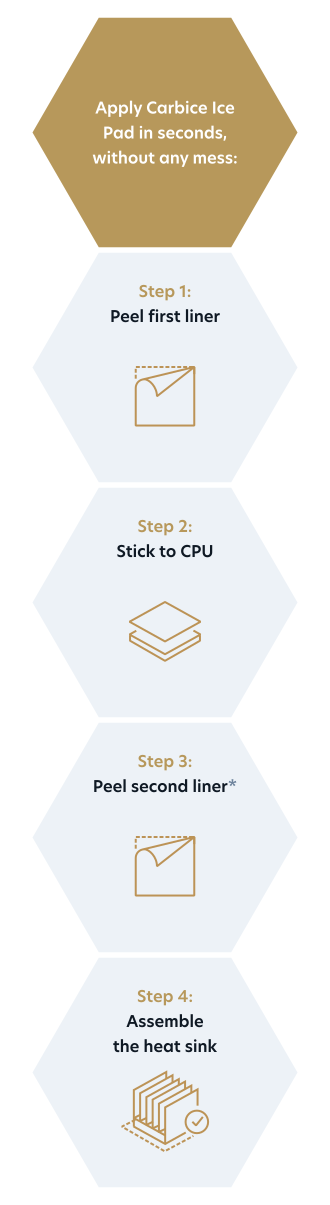
How to Install Carbice Ice Pad:
- Power down your computer.
- Attach your new CPU to the motherboard. (If you are using an existing CPU, clean off any residual thermal paste from the CPU and heatsink thoroughly using isopropyl alcohol and a lint-free cloth. Allow both surfaces to dry before continuing.)
-
Remove the transparent plastic liner from one side of the pad. Take care not to bend or wrinkle the pad during installation.
The pad comes with a non-conductive wax adhesive on both sides to simplify installation. Note that a small amount of excess wax residue is normal and does not affect the performance of the pad. - Apply the pad to the center of the CPU lid, with the remaining liner side up.
- Gently press down and apply even pressure across the pad to create good adhesion.
- Remove the remaining transparent plastic liner.
- Assemble the heat sink according to the manufacturer's instructions.
Activating Carbice:
The Carbice Ice Pad keeps improving with time as the CPU experiences normal heating and cooling cycles during gameplay or everyday high-performance tasks like streaming, video editing, multitasking, or content creation. Once the pad reaches optimal performance after this short activation period, it will remain that way for the life of your system.
- Install the Carbice Ice Pad to your CPU, mount the heatsink, and power on your system.
- Warm up your processor by running your computer for about 30–60 minutes. Playing your favorite AAA game or running other demanding applications is a great way to achieve the initial activation.
- Continue to use your system normally over the next few days and let the Carbice Carbon Nanotubes settle into your CPU and heatsink surfaces gradually.
- Read our Installation and Thermal Activation Guide for more information.

Product Overview
Carbice Ice Pad is a clean, mess-free thermal interface material designed for easy installation and long-lasting CPU cooling that never needs to be replaced.
Unlike conventional TIMs, Carbice pads peel-and-stick directly onto the CPU, eliminating messy application and reducing installation errors.
The result is reliable, consistent thermal performance over time, helping gamers maintain stable performance, and giving system integrators a cleaner, more dependable solution to improves build quality and customer experience.
Made from recycled materials, the Carbice Ice Pad delivers a more sustainable alternative to conventional thermal interface materials, while its clean removal also reduces e-waste and helps preserve the resale value of your PC components.
Material Properties:
- Thermal Conductivity:
• 12 W/mK (through-plane), ASTM D5470
• 200 W/mK (in-plane), ASTM B209 - Max Operating Temp: 150 ºC
- RoHS Compliant
- Lead/Halogen-Free
FAQs
Carbice Ice Pad is an advanced carbon nanotube-based thermal interface solution that improves heat transfer between your CPU and its cooling system. Known for its top-tier heat conductivity and longer-lasting performance, Carbice offers stable cooling under extended gaming or high-performance use.
The retail Carbice Ice Pad is currently engineered and optimized for AMD Ryzen™ desktop processors using the AM5 and AM4 socket platforms. It is designed to provide PC builders, gamers, and enthusiasts with a simple, reliable thermal interface solution for desktop CPU cooling.
Beyond the retail product, Carbice develops thermal interface solutions for a wide range of computing applications. Carbice technology is used in and optimized for gaming desktop PCs, high-performance desktop PCs, professional workstations, and server platforms where long-term thermal reliability and consistent performance are critical.
Interested in bringing Carbice technology to your products or systems? Visit https://carbice.com/products/ice-pad to learn more and contact us about partnership opportunities.
The Carbice Ice Pad delivers reliable, long-lasting cooling performance without the thermal degradation and messy installation commonly associated with traditional thermal paste.
It’s ideal for gamers and professionals who want dependable and efficient CPU cooling without having to ever replace the thermal interface solution.
No. The Carbice Ice Pad works right out of the box and does not require any special activation before you can use your PC. Simply install it and use your computer as you normally would.
Interested in accelerating the process manually for testing or other purposes? Check out our installation guide and activation tips.
The vast majority of the Ice Pad's performance is realized quickly, with most of the activation occurring within the first few hours to days of normal PC operation. Your system will begin benefiting from the Ice Pad almost immediately after installation.
As the Ice Pad continues to conform to the surfaces over time, it may deliver a small additional reduction in thermal resistance. Think of this as an extra performance bonus rather than something you need to wait for. The cooling performance is already doing the heavy lifting early on, and any further improvement simply builds on that foundation.
Perhaps most importantly, once activated, the Carbice Ice Pad is designed to remain stable for the long term. Unlike traditional thermal paste, which can dry out, pump out, or degrade over time, the Ice Pad maintains its performance, helping ensure reliable cooling year after year.
Yes, the Carbice Ice Pad is compatible with both AMD Ryzen™ AM5 and AM4 socket type CPUs. Whether you are applying the pad to AM5 or AM4 socket type, simply place the pad on the center of the CPU IHS lid.
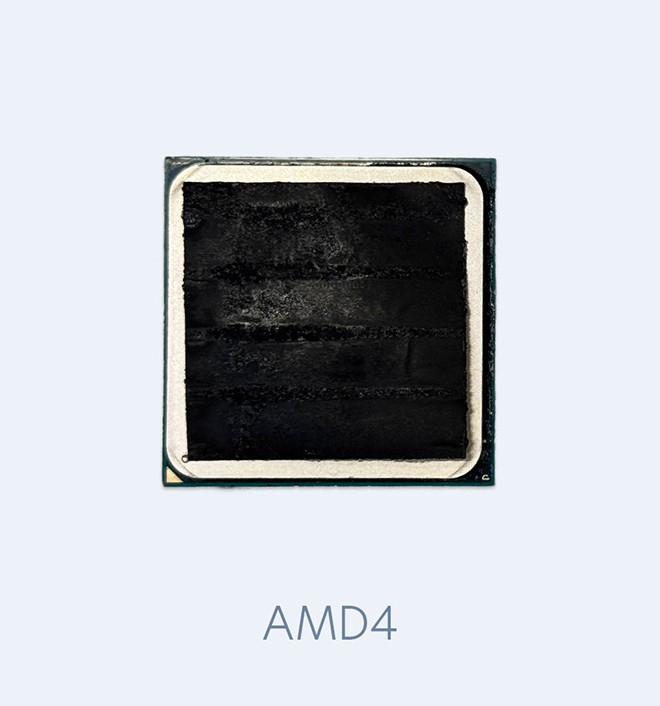
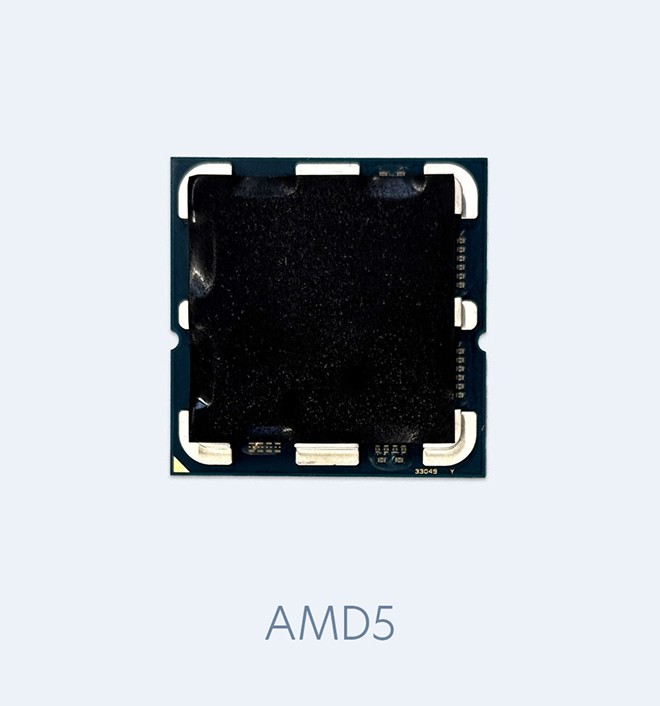
This version of Ice Pad has been optimized and validated for use on AMD Ryzen™ AM5 and AM4 CPUs. We do not recommend using this product on other applications or processors. Optimal performance cannot be guaranteed other chips.
We don’t recommend cutting the Ice Pad. It’s designed to fit specific components, and cutting it can damage the material and affect performance. For best results, use a pad that’s sized for your device.
Carbice Ice Pads are designed to last the lifetime of your system, so replacement is not required. However, if you upgrade your CPU or cooler, the pad can be easily removed by simply peeling it off—no scraping or messy cleanup like traditional thermal paste.
If any wax residue or CNT deposits or remain on the CPU or heatsink, wipe it away with a soft cloth. Using a small amount of isopropyl alcohol works well, but is optional and not necessary.
Visit https://carbice.com/products/ice-pad to purchase a replacement through one of our reseller partners.
When it's time to dispose of your Carbice Ice Pad, we recommend recycling it where local recycling options are available or placing it in your household trash. Do not flush the Ice Pad down a toilet or wash it down a sink or drain. The Ice Pad should not be flushed, rinsed down a sink, or otherwise introduced into wastewater or natural water sources.
Yes. Carbice Pads are manufactured using recycled carbon gas, recycled aluminum, and ethically sourced feedstocks in a circular process.
We do not recommend reuse, nor do we guarantee similar performance once the CPU-to-heatsink interface has been disassembled. If you disassemble your system and want to leave the pad in place for your next build, you are free to try it. The appearance and performance of the pad after disassembly is dependent on the use case and system design.
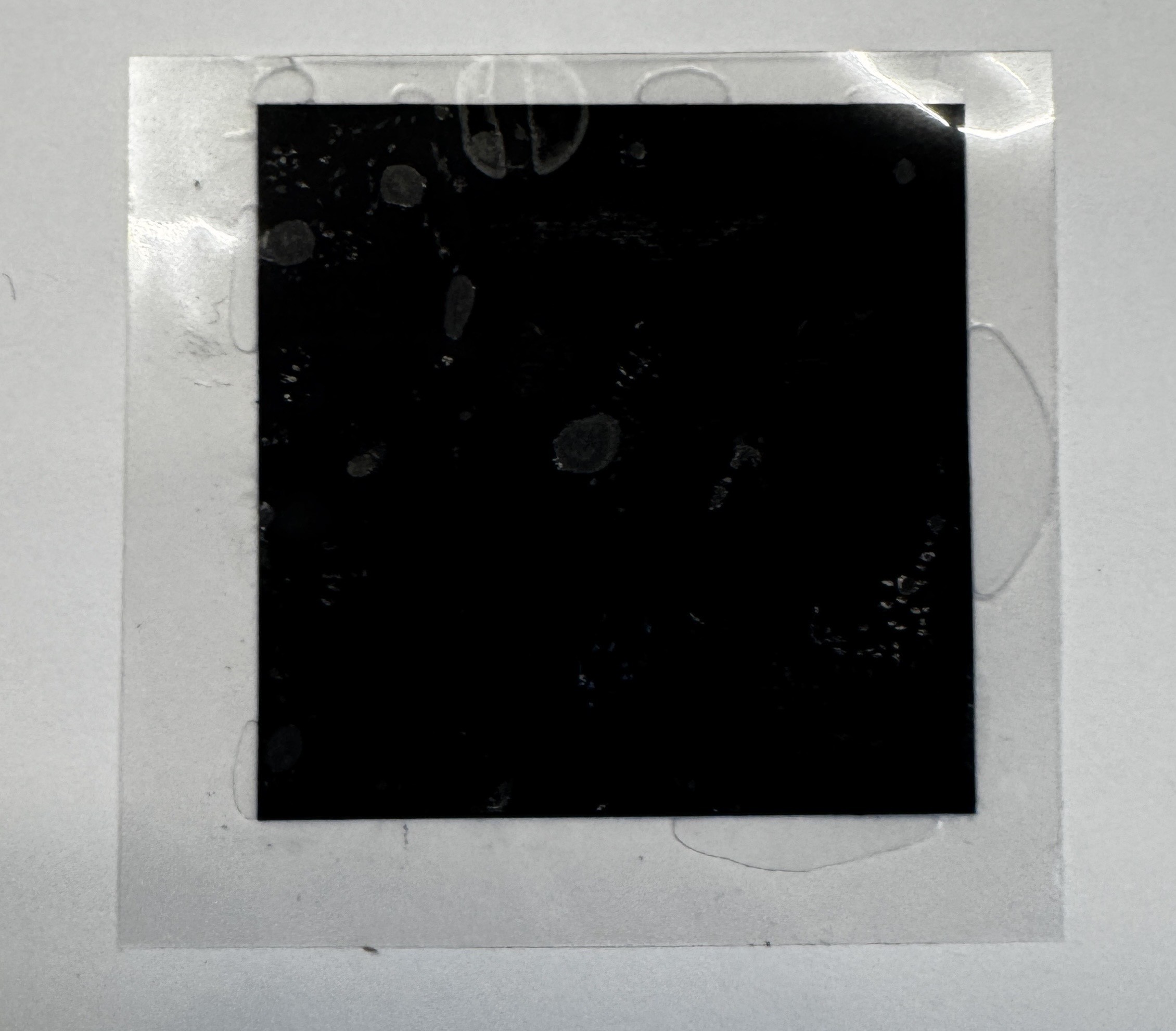
In rare circumstances, you may notice a small amount of non-conductive wax that has spread to the edges of the plastic liner containing the Carbice Ice Pad. This does not affect the performance of the pad and it's just there to provide assembly tack for easy installation. If you are having any trouble peeling the transparent liner, we recommend using scissors to cut the corner of the liners. This will separate the liner for simple peeling. Be careful not to cut the part.
Great question! It’s helpful to know that carbon nanotubes (CNTs) are already used safely in tons of everyday products—like sporting goods, automotive parts, and electronics—often as fillers in composite materials. Once CNTs are mixed into a polymer or other composite structure (like in our product), they’re no longer free particles and can’t return to their loose, airborne form. Think of it like carbon fibers in a bicycle frame—it’s part of the structure, not something that can just float away. That’s why our material is safe to use and handle, and why it’s trusted in sensitive environments like satellites and advanced electronics.
The Carbice Ice Pad is encapsulated within an electrically insulating polymer layer that helps reduce the risk of accidental electrical contact during installation. While the Ice Pad contains electrically conductive carbon nanotubes and an aluminum substrate, it is designed specifically for use between the CPU heat spreader and heatsink or cooler base. To simplify installation, the Ice Pad features a peel-and-stick adhesive backing that helps keep it securely positioned on the processor during assembly. Once the cooler is mounted, the Ice Pad remains fixed within the thermal interface, minimizing the possibility of movement or contact with nearby electrical components.
As with any PC hardware installation, Carbice recommends following standard safety practices, including fully powering down and unplugging your computer before installation. When installed as directed, the Ice Pad provides a secure and reliable thermal interface for your system.
.
No. Pastes and PCMs can migrate out of fastened interfaces. Graphite and silicone pads can release particles from their edges due to tear and compression set. In contrast, when a Carbice Pad is fastened in an interface, it stays in place and doesn't generate FOD.
Thermal pastes and other solid pads solutions only work in a small torque or force window. That is not the case with Carbice Pads. With our material, you are free to choose the torque or force that works best for your needs. The tensile strength of Carbice® Nanotubes is 10 times that of steel. In our product, each individual Carbice® Nanotube is covalently anchored to the aluminum core. They will bend to meet the curvature and roughness of your interface, and will remaining in place during use.
Visit our How it Works page to learn more about the Carbice technology. You can also find helpful resources, press announcements and articles in our Carbice Newsroom.
Also, take a look at what the industry says about Carbice Ice Pad:
Customer Support
For help with Carbice Ice Pad, reach out to customer support here.
